 TEAMS FIELD ACADEMY← Back to FreightPulsar
SCREEN LIBRARY
See the screen. Understand the next step.
Explore actual FreightPulsar product screenshots, then study access-screen examples from a public Army guide. Each image explains where it came from and how to use it.
Inside FreightPulsar
These captures show the working training application with fictional practice data. Click an image to enlarge it or open the interactive experience.
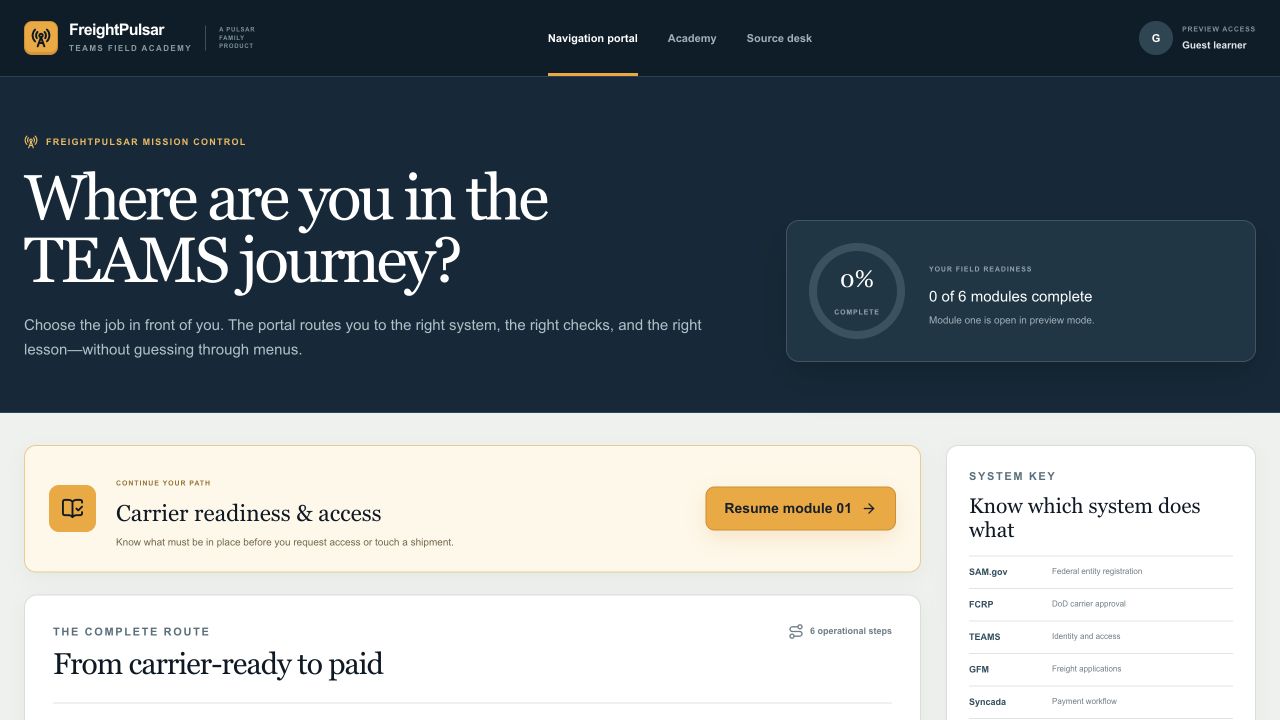
Your course navigation portal
See the six-module route, choose the task you need, and move into the appropriate lesson.
Explore the portal →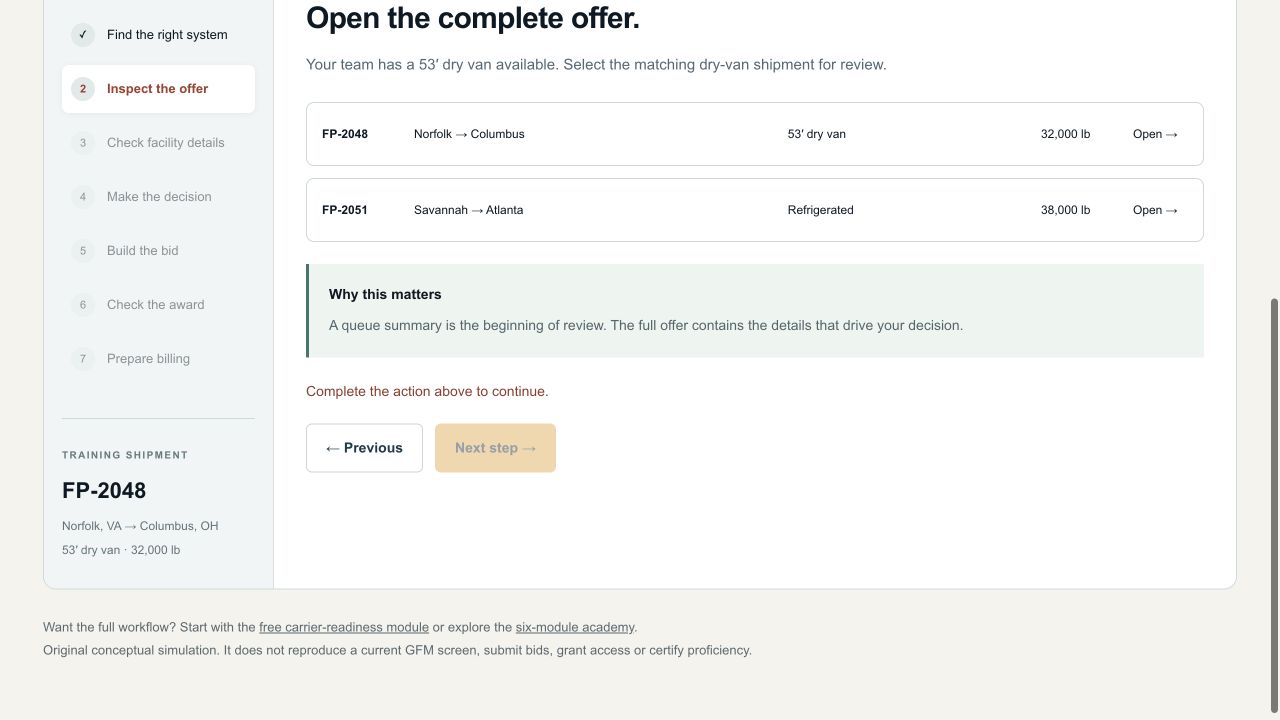
A shipment you can practice on
Choose equipment, inspect facility details, resolve an appointment conflict and check a sample bid.
Try the free practice lab →OFFICIAL PUBLIC REFERENCE
Recognize the access screens
Screenshots from ARTRANS’s May 12, 2026 ECA sponsorship advisory. These teach identity and authorization concepts; live interfaces and instructions can change.
OFFICIAL SCREEN EXAMPLE · MAY 12, 2026
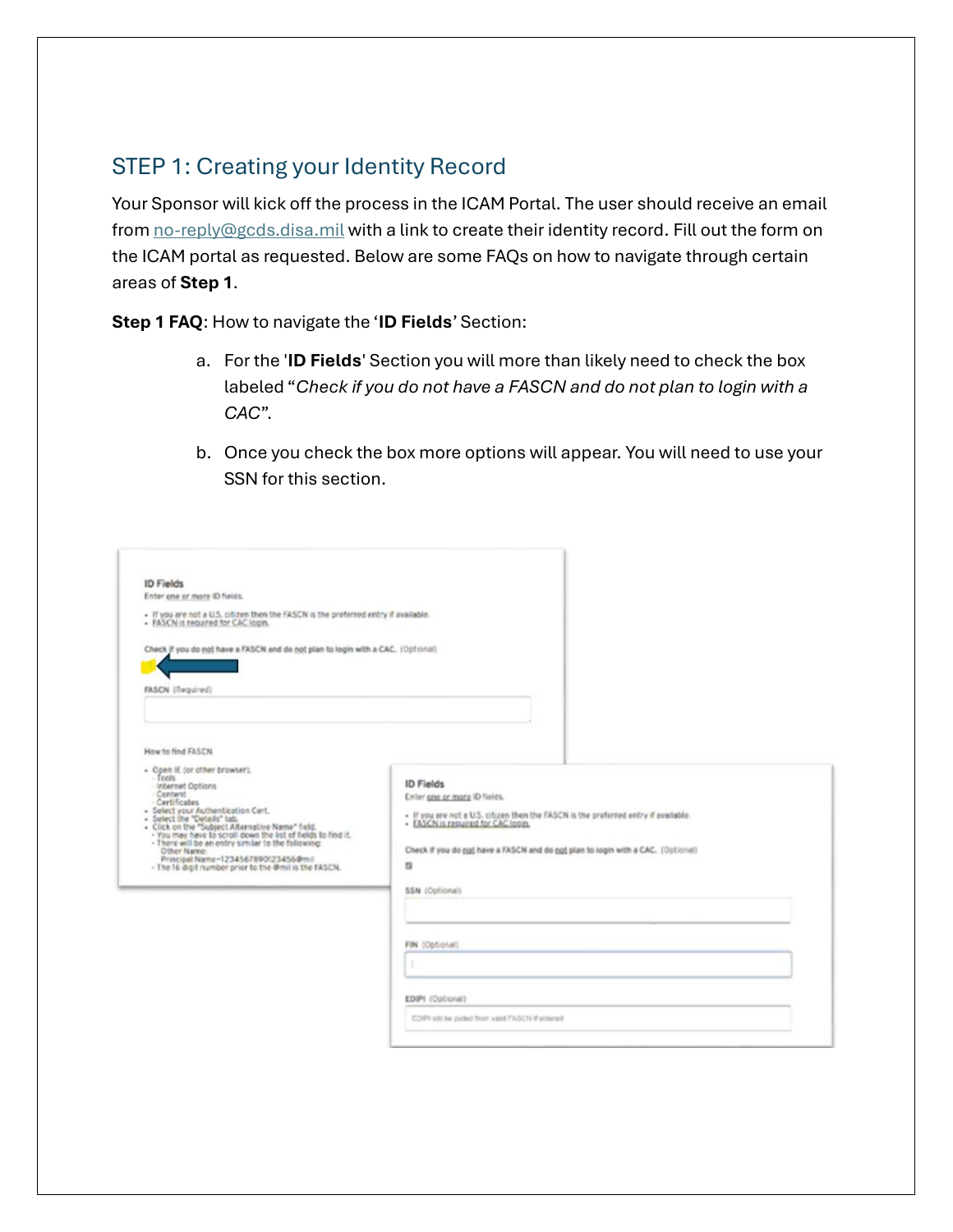
Creating the identity record
 Open full-size image ↗
Use the sponsor’s official instructions for your own identity path. This is a reference image; never submit identity numbers, passwords or certificates to FreightPulsar.
Reproduced from the public ARTRANS ECA sponsorship guide, PDF page 4. Embedded screenshot sharpness is limited by the original document. This is an access example, not a current GFM bidding screen. The guide also contains IBS-specific instructions; do not apply those to GFM.
Read the original dated Army guide ↗OFFICIAL SCREEN EXAMPLE · MAY 12, 2026
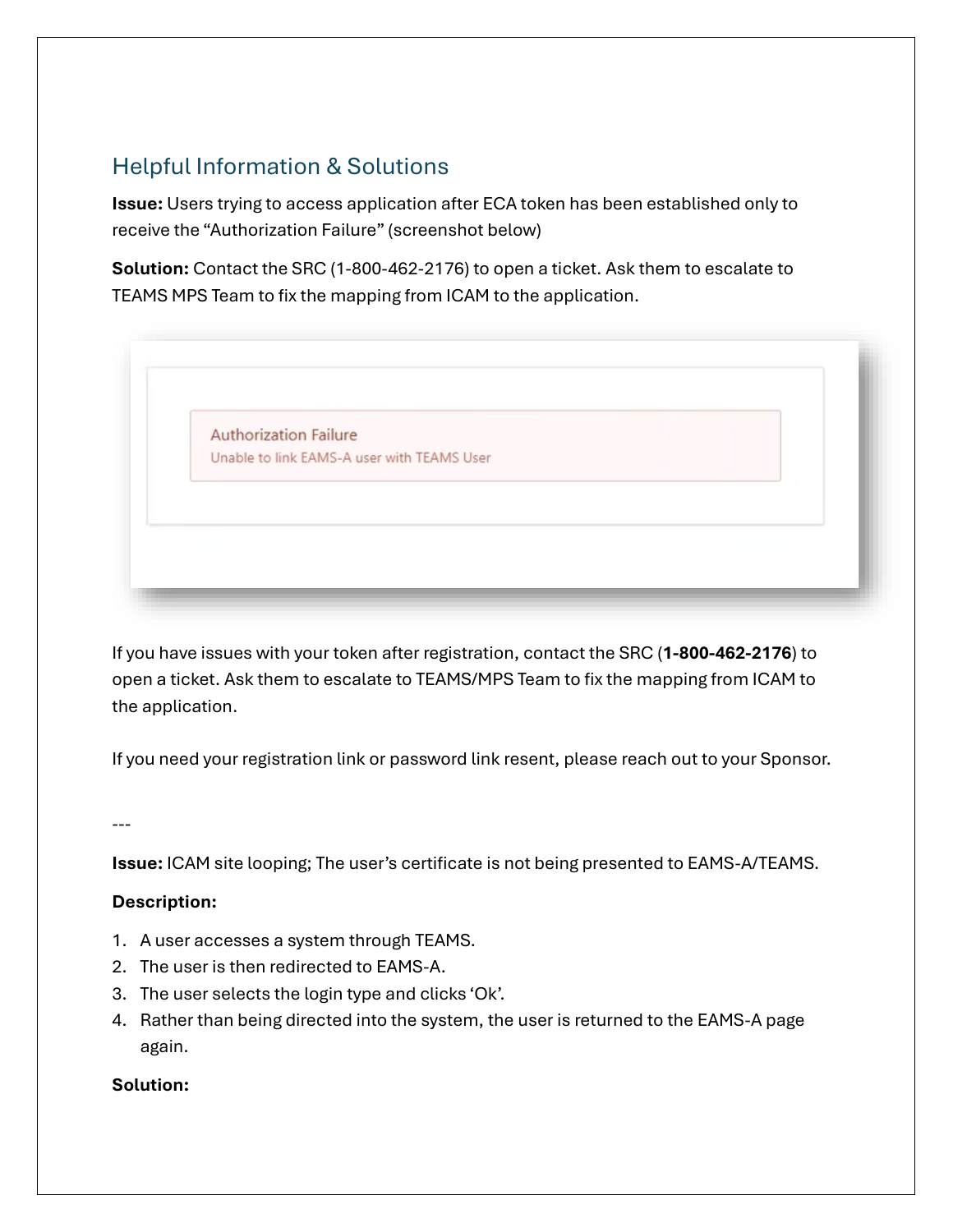
Recognizing an authorization failure
 Open full-size image ↗
The published guide directs users to the support desk for mapping issues. Do not borrow an account or repeatedly submit a request to work around missing authorization.
Reproduced from the public ARTRANS ECA sponsorship guide, PDF page 8. Embedded screenshot sharpness is limited by the original document. This is an access example, not a current GFM bidding screen. The guide also contains IBS-specific instructions; do not apply those to GFM.
Read the original dated Army guide ↗The shipment exercises are original conceptual simulations. This library does not yet contain verified current GFM Spot Bid or TEOW screenshots. Always follow the current official instructions for the live application.