What you’ll do
Map the ecosystem
Separate registration, identity, tendering, bidding, payment, and policy: SAM.gov, FCRP, TEAMS, GFM, Syncada, and MFTURP-1 each do a different job.
Build the carrier file
Confirm active SAM registration, SCAC, operating authority, insurance, bond requirements, approved payment enrollment, and accurate company contacts.
Secure the user
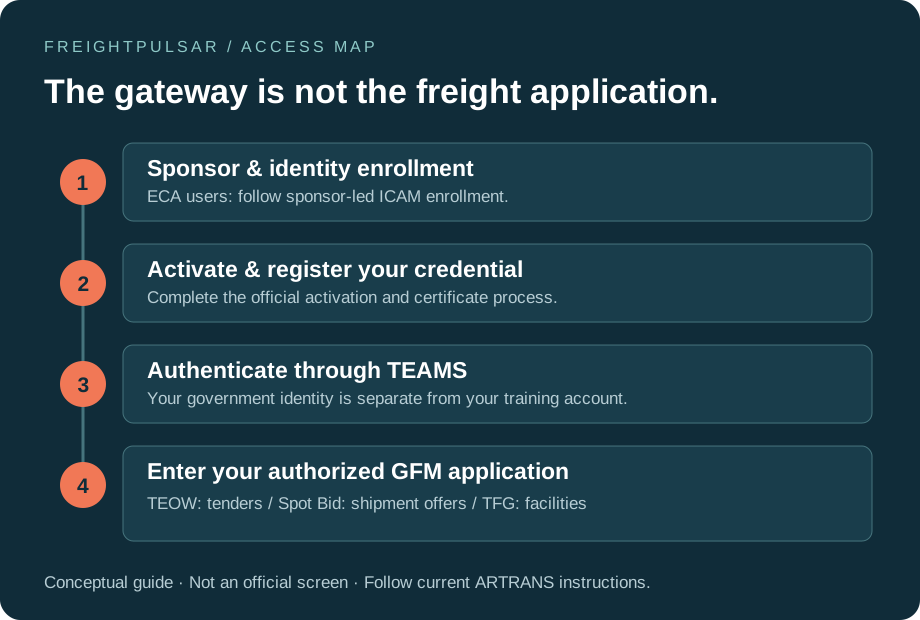
Use an individual ECA/CAC credential and an individual TEAMS account. Never share certificates, passwords, or a coworker’s identity.
TEAMS is the access layer; GFM is the freight application family. Keep individual identity, application permission and carrier approval separate in your onboarding tracker.
Your step-by-step field guide
Conceptual workflow illustration · labels and permissions in live systems may differ.
WALKTHROUGH 1 OF 5
Separate the four gates
Create four headings in your onboarding tracker: carrier approval, personal identity, application access, and operational readiness. Assign an owner and evidence to each.
Your SAM record is active, but carrier approval is still pending. Record the approval as pending; do not mark the carrier ready to bid.
Why this matters
A registered business, an approved carrier, and a user who can sign in are different things. Passing one gate does not automatically pass the others.
Do not infer carrier approval from a successful login or a SAM registration.
Terms used in this module
- SCAC
- Standard Carrier Alpha Code; reconcile it with the approved carrier record.
- FCRP
- Freight Carrier Registration Program; use its current official requirements.
- ECA / ICAM
- An identity credential and an identity-management process; neither alone establishes carrier approval.
FreightPulsar simulation · no connection to a government system
Operator checklist
Check each item to acknowledge that you understand what to verify. This does not declare that your carrier is approved or that an operational check has been performed.
Official access example
OFFICIAL SCREEN EXAMPLE · MAY 12, 2026
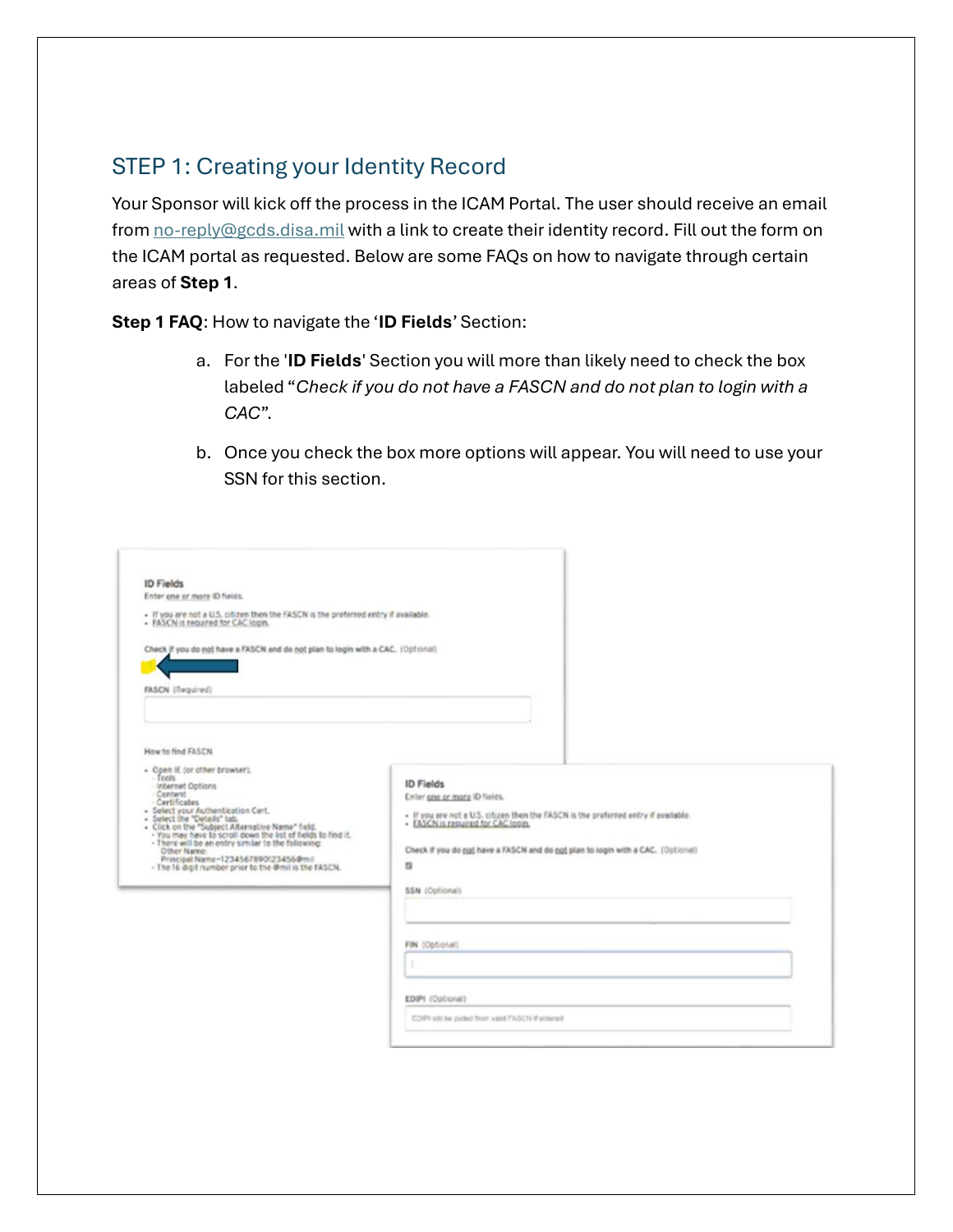
Creating the identity record
 Open full-size image ↗
Use the sponsor’s official instructions for your own identity path. This is a reference image; never submit identity numbers, passwords or certificates to FreightPulsar.
Reproduced from the public ARTRANS ECA sponsorship guide, PDF page 4. Embedded screenshot sharpness is limited by the original document. This is an access example, not a current GFM bidding screen. The guide also contains IBS-specific instructions; do not apply those to GFM.
Read the original dated Army guide ↗Prove the decision
Which item is used to authenticate an individual commercial carrier user?
APPLY IT · SECOND CHECK
You can sign in, but carrier approval is still pending. What is the next step?
To complete: review all five walkthrough steps, acknowledge each checklist item, and answer both checks correctly. Course completion is not government certification.
Try the seven-decision shipment practice lab